FloBoard™ Digital Draft Menu
Your tap list should update itself.
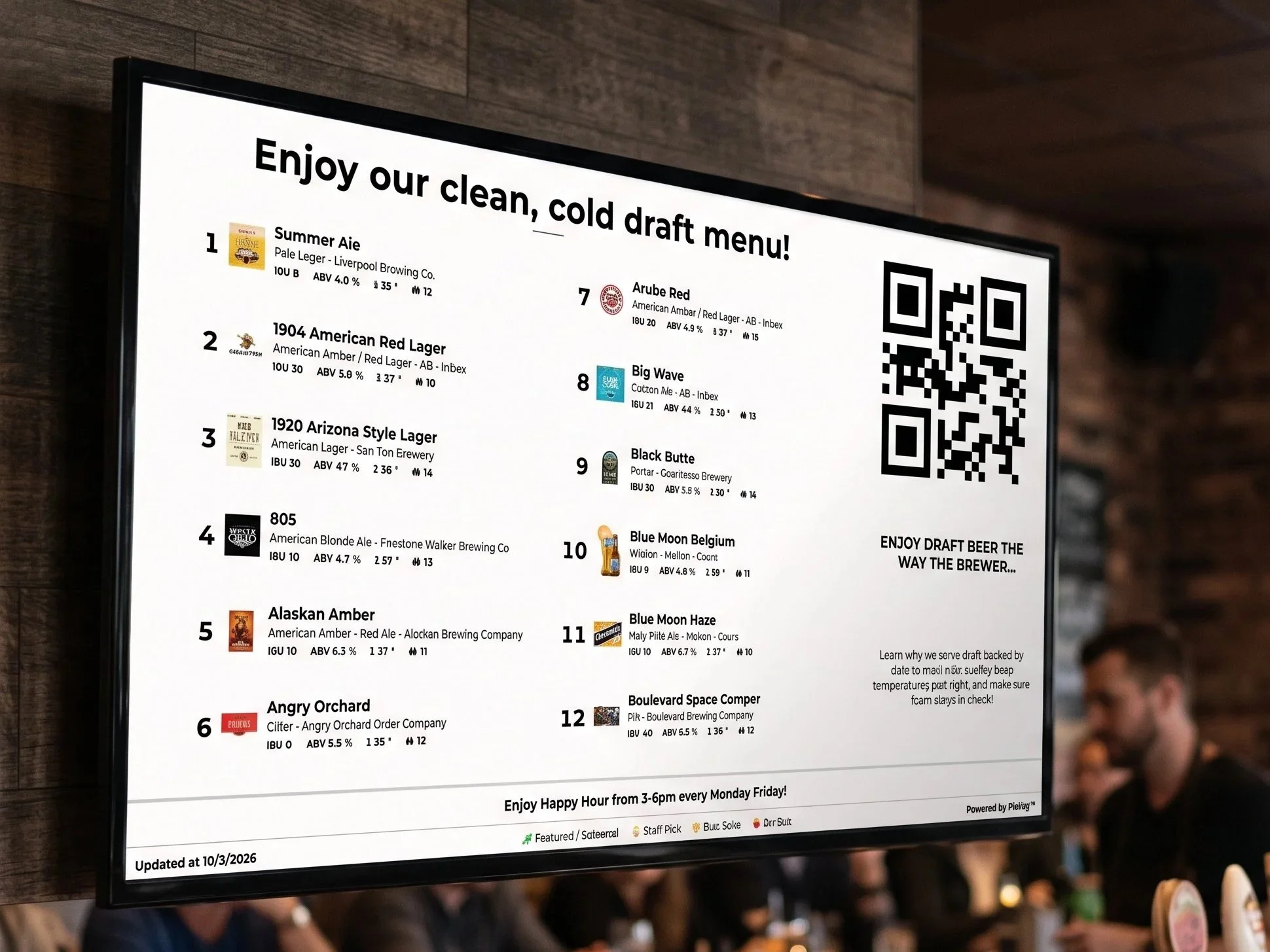
FloBoard™ puts your draft menu any TV in the bar. Build it in minutes. When a keg changes, the board changes with it.
FloBoard™ is now included with every PourScore™ subscription!
THE PROBLEM
The chalkboard on the wall is wrong by Friday.
A keg kicks at 8:40 on a Friday. Nobody updates the chalkboard. Guests order a beer you don't have, and your bartender explains it all night.
Most digital menus don't fix that. They add another login and another system for a manager to learn and forget.
You already pay to get guests in the door: the trivia host, the social posts, the happy hour. The tap list is the last thing they read before they order. It should sell for you.
HOW IT WORKS
Three steps from tap list to TV.
STEP 1
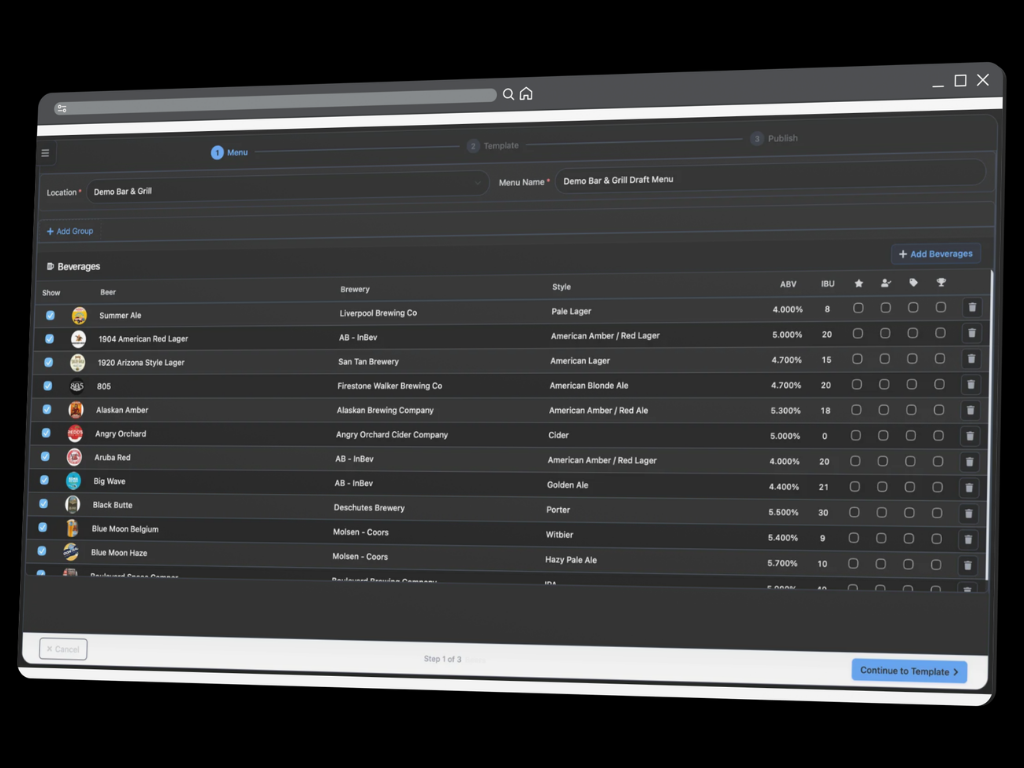
Check what’s on tap.
Pick a location and check the beers you're pouring. Brewery, style, ABV, IBU, and logo come with each one. No typing.
STEP 2
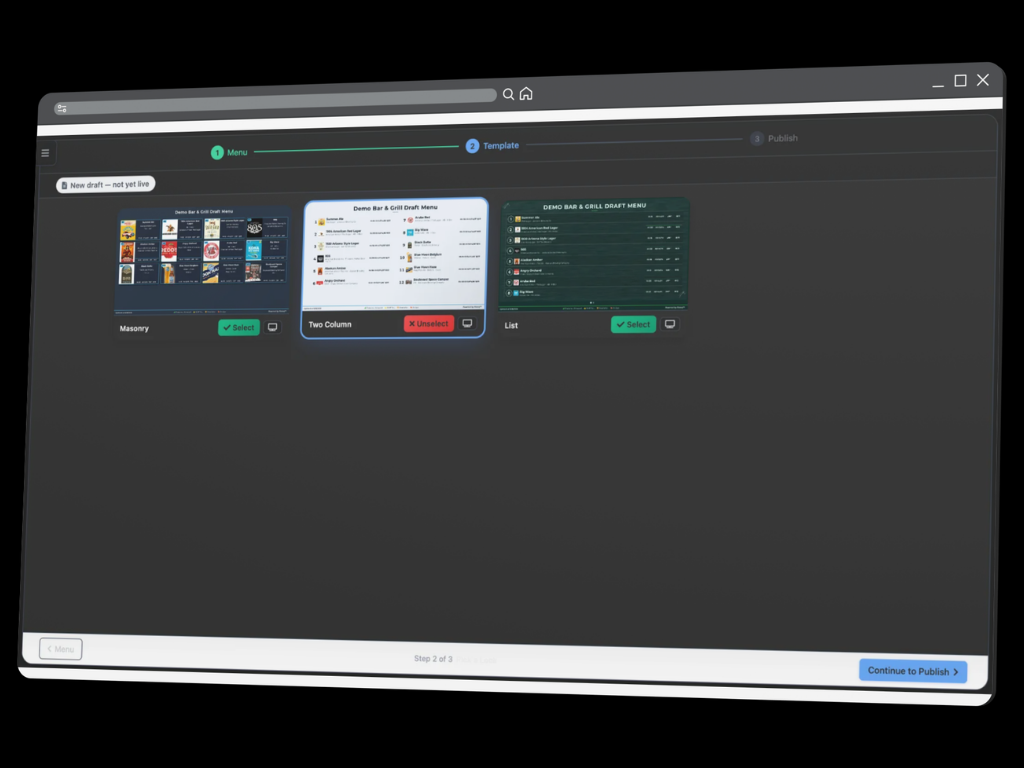
Pick a layout.
Masonry puts the brand art up front. Two Column reads like a classic tap list. List handles the longest lineups.
STEP 3
Make it yours. Publish.
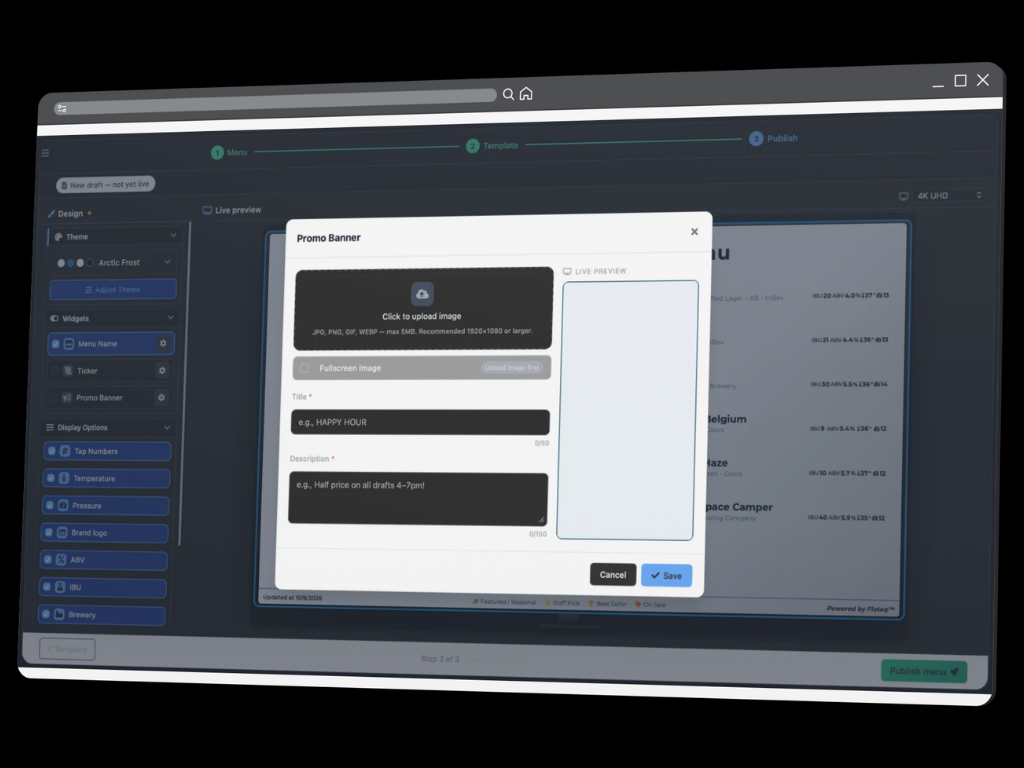
Choose a pre-built theme or add your brand’s colors & fonts. Turn on what guests should see. Check the 4K preview, then hit publish.
Promote what you already paid for.
Loyalty program. Trivia Tuesday. The new seasonal. A release party. Add a headline, one line of copy, and an image, or take over the full screen. The guests at the bar see it before the bartender has to say it.
Happy hour without the whiteboard.
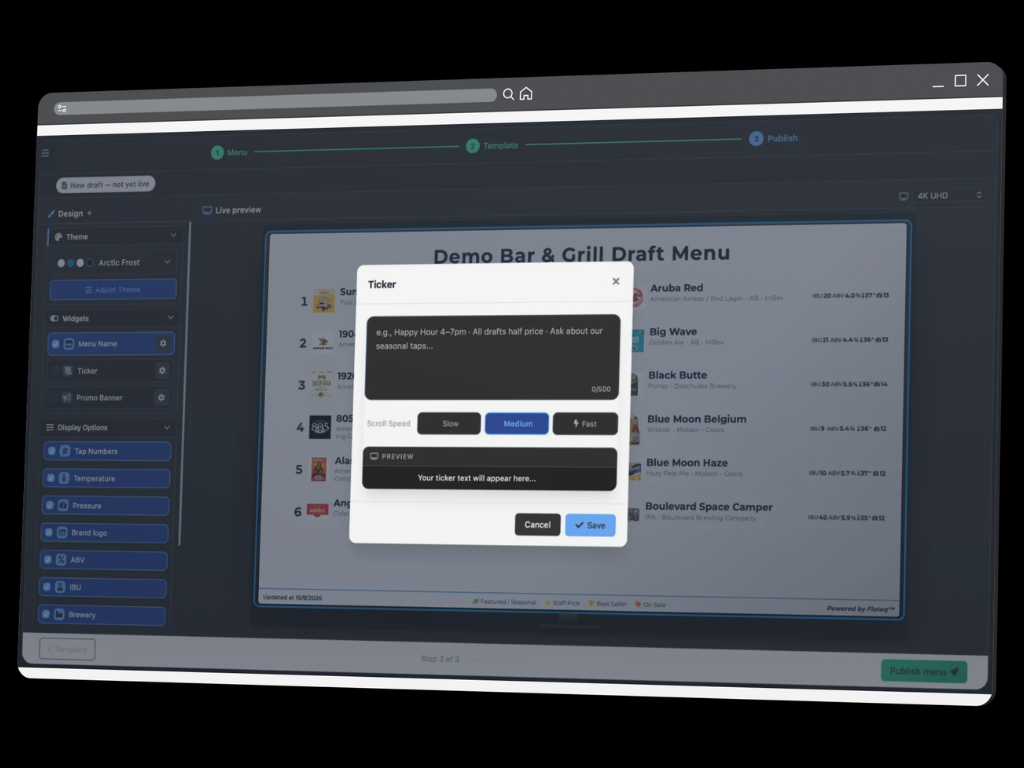
Type "Half-price drafts, 4 to 7" once. It scrolls across the bottom of the screen at the speed you pick. When happy hour ends, change one line.
FloBoard™ FAQ
-
FloBoard™ is a digital draft beer menu for bars and restaurants. You build your tap list online, pick a layout and theme, and publish it to the TVs in your venue. No more bloated digital menu fees that are not connected to your actual live draft lines.
-
Just a TV with an internet connection and a web browser or streaming device. You’ll go to a location FloBoard™ menu via a web browser and a mobile phone to scan the QR code to authorize each menu. Literally a couple of minutes to get your FloBoard™ menu designed and published!
-
FloBoard™ reads your draft line data from PourScore™. When a line changes in PourScore™, the menu updates without anyone touching it. Manage your draft program via PourScore™ equals promoting your draft program via FloBoard™, all from one intuitive login and app experience!
-
Yes! With PourScore™ sensors in your keg room, you can display temperature, pressure, ABV%, IBU%, and more on every line.
-
Yes. Each location gets its own menu, built with the same layouts and themes, so every bar in your group looks consistent. FloBoard™ can even have unique menus running on different screens at the same location. Promote your quality draft and make more from every pour!